Installing an Update Set from XML
Quick-reference guide for importing and committing an update set from an XML file.
-
Download the XML file, and save it to your computer. If it is compressed, uncompress it until you have a file that ends in “.xml”.
-
Navigate to System Update Sets -> Retrieved Update Sets.
-
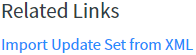
Click the Import Update Set from XML link at the bottom of the list.
-
Click Choose File and select the XML file you downloaded, then click Upload.
-
Commit the update set:
-
Open the update set you just uploaded, from the list of retrieved update sets.
- You won’t be able to sort by the “loaded” date necessarily, so you may need to search by name.
-
If the update set has not been previewed already (if you don’t see the Commit Update Set button), click the Preview button.
-
If there are any preview errors, you’ll have to tell the system how to handle them using the Preview errors related list.
-
Click Commit Update Set.
-
That’s all there is to it!
Thanks for reading, don’t forget to subscribe, and happy developing!
Comments